


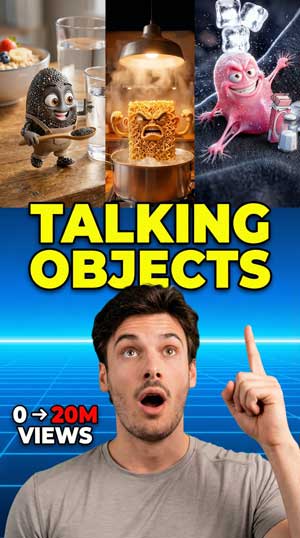
How to Create Viral Talking Object Videos with Shorts AI
Hey, I’m Chris, CEO and co-founder of Shorts AI. If you’ve been scrolling through Instagram or TikTok lately, you’ve probably noticed what I’ve been seeing everywhere: everyday objects coming to life, sharing tips, telling stories, and racking up hundreds of thousands of views. From talking cucumbers dispensing skincare advice to animated cleanser bottles explaining their benefits, these personified objects are absolutely blowing up right now.
I decided I had to try this trend out on our app, and I want to show you exactly how I did it so you can create your own viral talking object videos.
Why This Trend Is Exploding
Before I walk you through the process, let me show you what got me so excited about this. I’ve been saving examples on Instagram, and the numbers are insane. I found accounts that are literally brand new—less than a month old—that already have 20,000 followers. Individual videos are hitting 100,000 to 165,000 views.
One of my favorites is this skincare account where products introduce themselves: “Hello, I am Vitamin C Serum. I help brighten dull skin and fade dark spots. Apply me in the morning before moisturizer and sunscreen.” Simple, informative, and somehow completely captivating. That’s the magic of this format—you’re taking useful information and delivering it with personality that people actually want to share.
My Process: Creating a Talking Helmet Video
Since I ride my motorcycle a lot between SF and Los Angeles, I thought, why not make a video about helmets? Specifically, a dirty helmet warning riders about the dangers of not cleaning the lining and bacteria buildup. Here’s exactly how I did it.
First, I opened the app and clicked on Create, then navigated to AI and Realistic Generated Videos—this is our generative AI feature. For my prompt, I typed: “A video about a dirty helmet telling us the dangers of not cleaning the lining and bacteria build up.”
Now, you can absolutely take your idea to ChatGPT first and brainstorm if you want more refinement, but I find the app works great with straightforward prompts. If you have a business, this is where you’d describe your product and what you want it to say.
The Settings That Matter
Here’s where you make some key choices:
Character Style: I chose Auto Character and selected Pixar style for that polished, animated look.
Number of Scenes: Each scene runs about five seconds, so I chose five scenes for roughly 25 seconds of content—perfect for social media.
Include Dialogue Lip Sync: This is crucial. Don’t skip this. This is what makes your objects actually appear to speak with mouth movements matching the dialogue. Without it, you’re just making a regular video.
Orientation: I went with Portrait for Instagram, but you can choose Landscape depending on your platform.
What the AI Created
After hitting generate, I waited a few minutes for the storyboard. What came back honestly blew me mind. The app didn’t just create one talking helmet—it personified multiple characters. There was the main narrator, plus characters it named “Rusty” and “Barry,” each with completely distinct personalities.
The dialogue was surprisingly sophisticated. It opened with “Phew! What is that smell?” and Rusty responded with “Just a bit of character, kid.” Another character, Barry, was described as “a bit of a show-off.” I’m not going to lie—I laughed. The AI turned my simple concept into an actual narrative with humor and character development.
Editing and Fine-Tuning
You can review each scene individually. If you tap on Motion, you can see and edit the dialogue. I looked through mine and honestly, the AI nailed the tone, so I kept most of it as-is. Sometimes less editing is more—the AI often captures something you might not have thought of yourself.
After reviewing, I clicked Next, chose Process as Is, and selected Auto Standard for the final render. You can also maintain styles like Pixar if you want consistency.
The Final Result
When the video finished processing, I had a complete narrative: helmets with personalities, lip-synced dialogue, and an emotional arc from “forgotten corner of dream” to “sweet freedom” after being cleaned. What started as a simple hygiene reminder became actual entertainment.
The best line? “Great. I can breathe again, and I can too, Rusty. Much better!” That’s the kind of charm that gets shares.
My Tips for You
Here’s my strategy for staying on top of trends: save everything you see working on Instagram. I have a whole collection of successful talking object videos. The more you save, the more ideas you’ll develop, and you’ll start to see patterns in what resonates.
Look for newly created accounts with massive engagement—those are showing you what’s working right now, not what worked six months ago.
If you’re running a business, think about how powerful this is. Instead of showing your product sitting on a shelf, you can have it introduce itself, explain its benefits, and connect with customers in a way they’ll actually remember and share.
Why I Think This Works
When you tap into a trend like this one at the right moment, you have a real shot at going viral. These talking object videos are still fresh enough that there’s room for creativity, but proven enough that you know the format works.
With Shorts AI, you don’t need animation skills or video editing experience. You just need an idea and a few minutes. That’s exactly what we built this app for—to put professional-quality AI video creation in everyone’s hands.
So go ahead, try it out. Make your products talk. Give personality to everyday objects. Have fun with it. And when you create something amazing, I want to see it.